> For the complete documentation index, see [llms.txt](https://docs.shippify.co/developers/llms.txt). Markdown versions of documentation pages are available by appending `.md` to page URLs; this page is available as [Markdown](https://docs.shippify.co/developers/en/e-commerce/shopify/functionalities.md).
# Functionalities
In this section, we'll give you a general overview of the main functions that can be performed by installing our Orkestra OS app.
In our embedded application, you'll find the main functions you need in your day-to-day logistics with us, including:
* Delivery creation on our platform
* Real-time status updates
* Label printing
* Delivery cancellation
* Shipping quotes
***
## Delivery creation on our platform
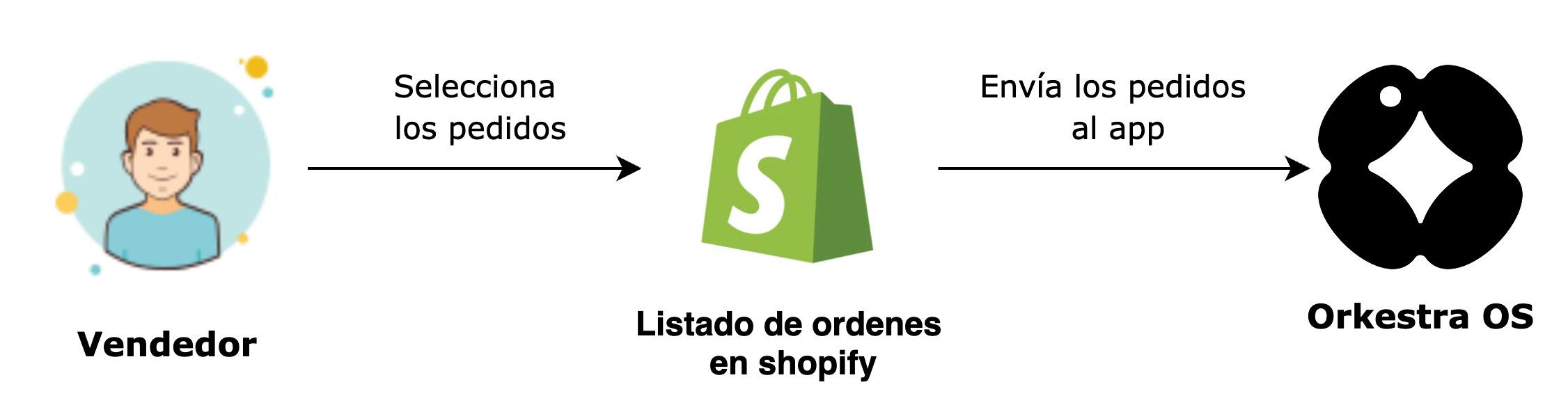
You'll be able to select the orders you want within your Shopify dashboard and send them to Shippify through our Orkestra OS app, so that our drivers can make deliveries to your customers.
Proceso de creación de entregas
After the order is created in Shippify, the status of the order changes to 'Prepared' within the Shopify system.
## Real-time status updates
When orders are on their way, delivered, or canceled, the changes will be visible in your Shopify dashboard.
Actualización de estados
## Label printing
From the application, you can select the orders you wish to download the PDF with the shipping labels to proceed with affixing them to the packages.
Impresión de etiquetas de envíos
## Delivery cancellation
From the application, you can cancel orders that, for any reason, you no longer want to be shipped with us.
Cancelación de pedidos
## Shipping quotes
You can decide whether your customers will see Shippify as an option when selecting a carrier at checkout (Available for Plus accounts or those created before 2022).