> For the complete documentation index, see [llms.txt](https://docs.shippify.co/developers/llms.txt). Markdown versions of documentation pages are available by appending `.md` to page URLs; this page is available as [Markdown](https://docs.shippify.co/developers/pt/e-commerce/mercado-livre/funcionalidades.md).
# Funcionalidades
Nesta seção, mostraremos brevemente as principais funções que podem ser realizadas instalando nosso aplicativo.
Com nosso aplicativo, você poderá executar as principais funções necessárias no seu dia a dia para gerenciar sua logística conosco, incluindo:
* Criação de entregas em nossa plataforma.
* Atualizações de status em tempo real.
***
## Criação de entregas na nossa plataforma
Este processo será executado automaticamente toda vez que um cliente fizer um pedido, ele será criado em nossa plataforma. Você pode configurar filtros para que apenas tarefas específicas sejam criadas, como por exemplo, o tipo de logística flexível ou o ID do serviço.
Proceso de creación de entregas
A tarefa será criada com o ID do pedido como identificador de referência, mas você pode solicitar que o ID de rastreamento seja anexado em vez disso.
As tarefas serão criadas por padrão como tipo Regular, mas você pode alterá-las para a função de tempo desejada, flexível ou expressa.
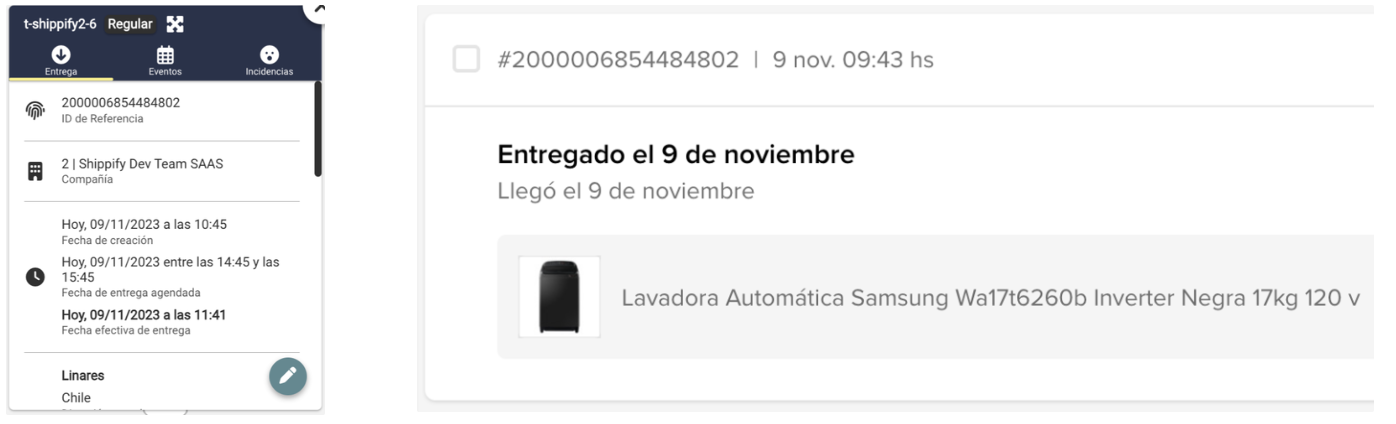
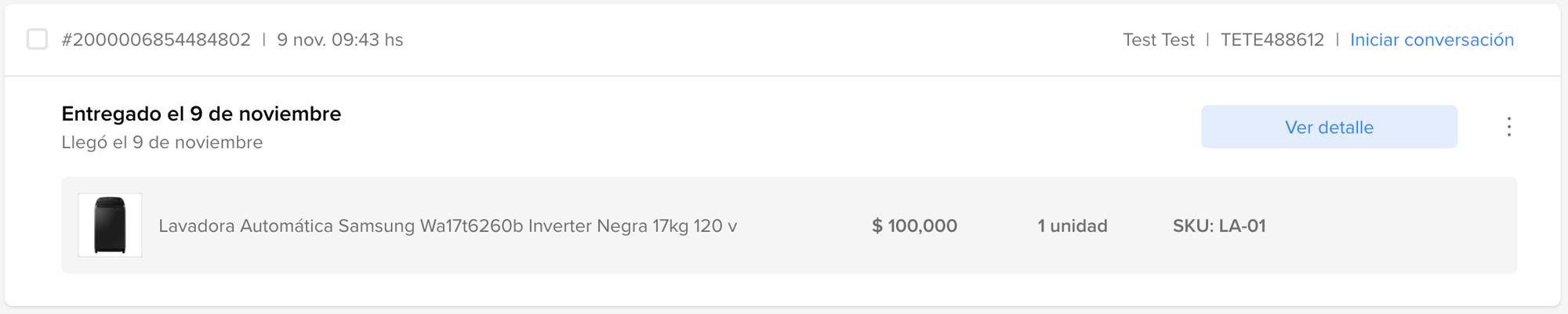
Ejemplo de orden creada en Shippify y MELI
## Atualizações de estado em tempo real
Quando os pedidos estiverem a caminho, forem entregues ou cancelados, a alteração será visível no seu painel do Mercado Livre (disponível apenas para envios M1).
Actualización de estados
Quando a tarefa mudar para "**Em trânsito**" na Shippify, ela será atualizada para "**Em trânsito**" no MELI.
Quando a tarefa mudar para **Completado** na Shippify, ela será atualizada para **Entregado** no MELI.
Quando a tarefa mudar para **Cancelado** na Shippify, ela será atualizada para **Não Entregado** no MELI.